How do I bulk schedule posts from a CSV?
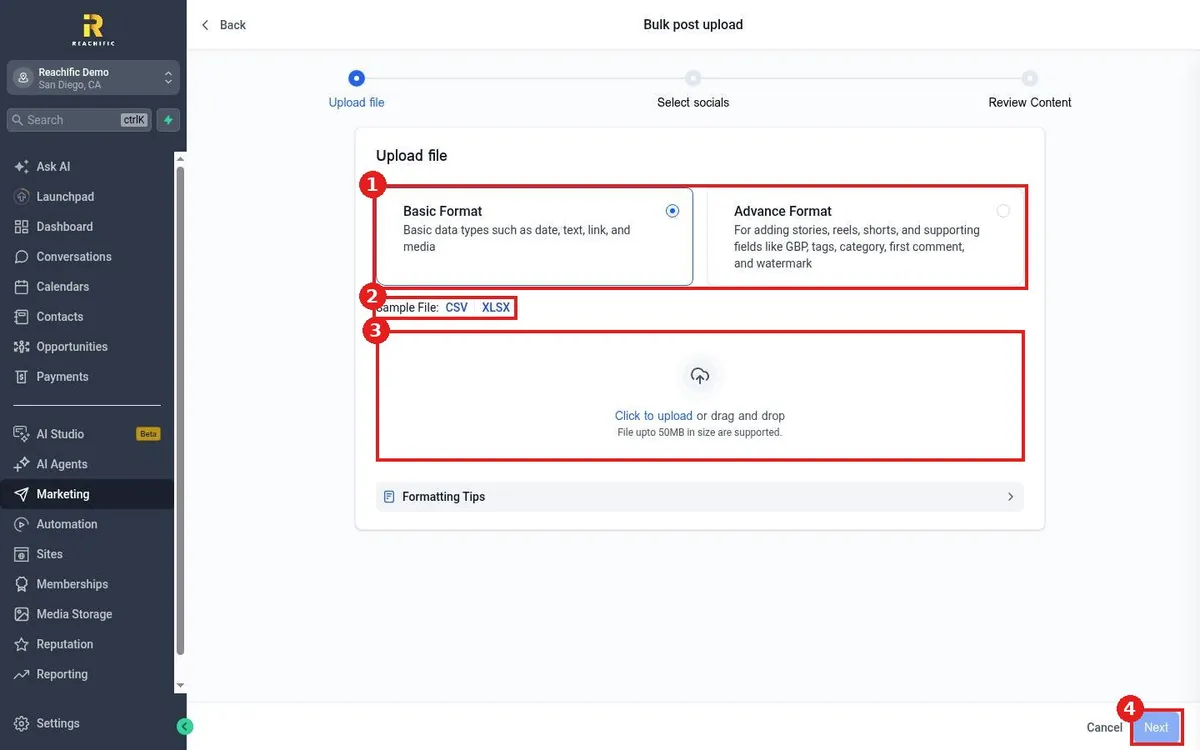
Bulk schedule social posts in Reachific: open Social Planner, choose Bulk Scheduling with CSV, pick Basic or Advance format, download the sample file, upload your CSV, select socials and review.
Reachific™ Support
Step by step answers for every part of your Reachific account, with screenshots that show you exactly where to click.
No article on this page matches that yet. Try another word, or submit a ticket.

Bulk schedule social posts in Reachific: open Social Planner, choose Bulk Scheduling with CSV, pick Basic or Advance format, download the sample file, upload your CSV, select socials and review.

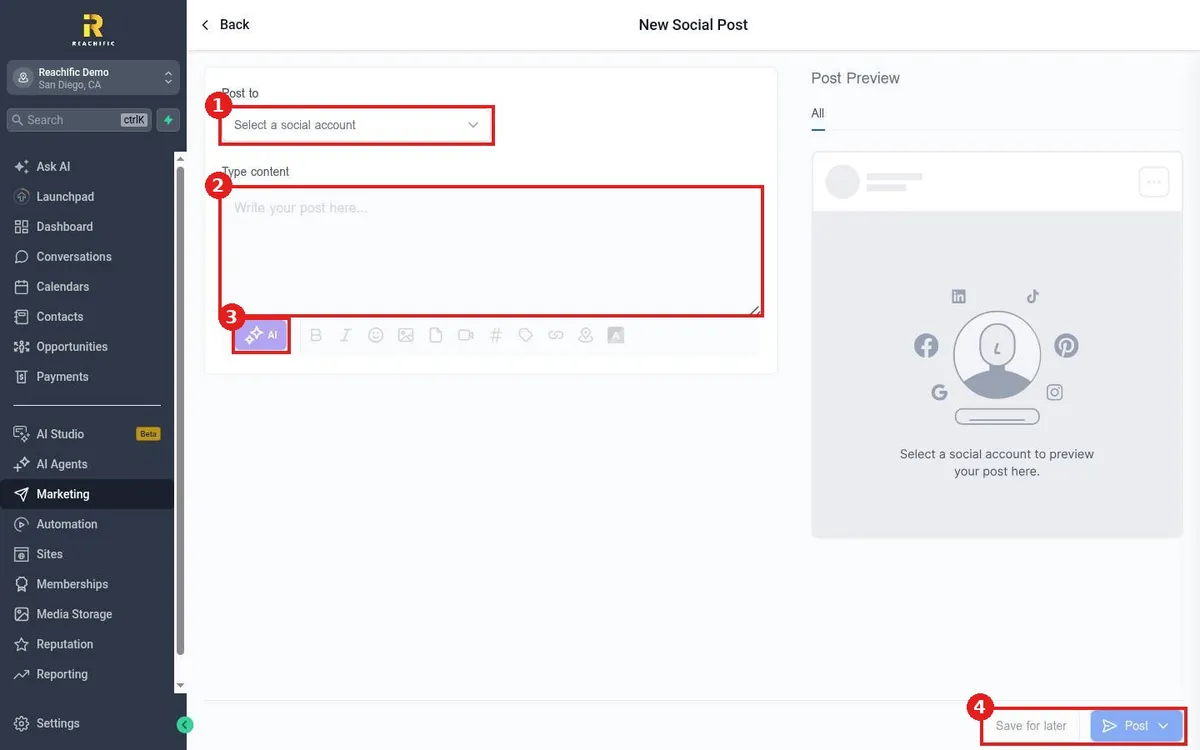
Schedule a social post in Reachific: open Marketing, Social Planner, create a post, pick the social accounts, write or generate the content, add media, then choose a time to post or save it for later.

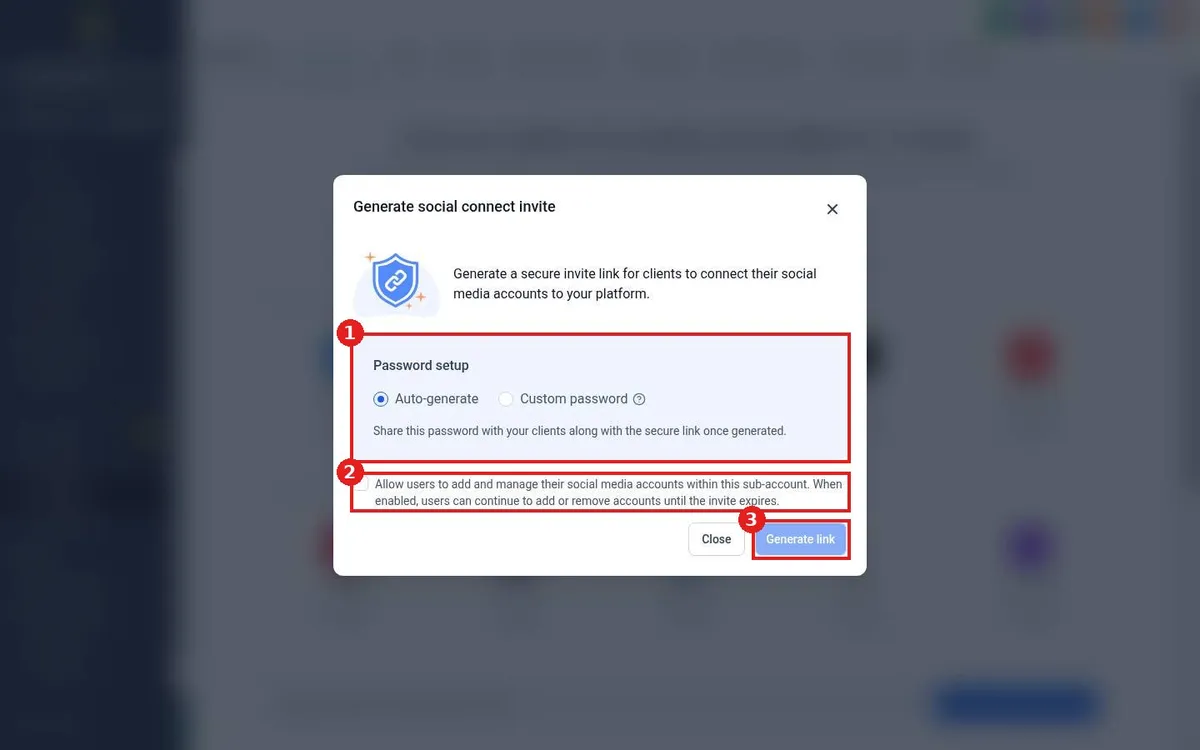
Let a client connect their own social accounts: in Reachific Social Planner click Send social connect invite, choose an auto or custom password, click Generate link and share the link and password.

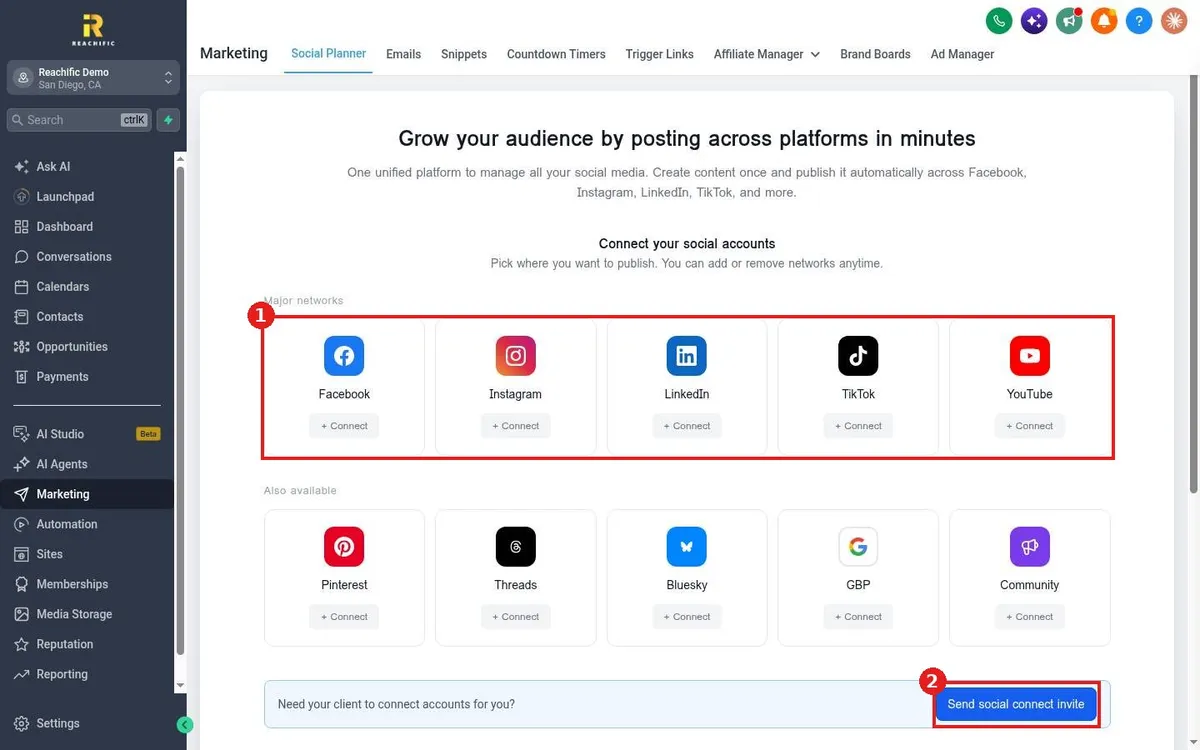
Connect your social accounts in Reachific: open Marketing, Social Planner, click Connect on Facebook, Instagram, LinkedIn, TikTok, YouTube, Google Business Profile or others and approve access.
We are here to help
Send our support team a ticket and we will walk you through it, or pick a support plan for hands on help.